Product Brochures
Overview files for flame retardant additives, masterbatch, halogen-free systems, halogenated systems and application ranges.
- Useful for early supplier screening
- Can be paired with application pages
Request Rectivas product brochures, TDS, SDS, COA, selection guides, RFQ checklists and application resources for flame retardant additives, flame retardant masterbatch, halogen-free systems and halogenated systems.
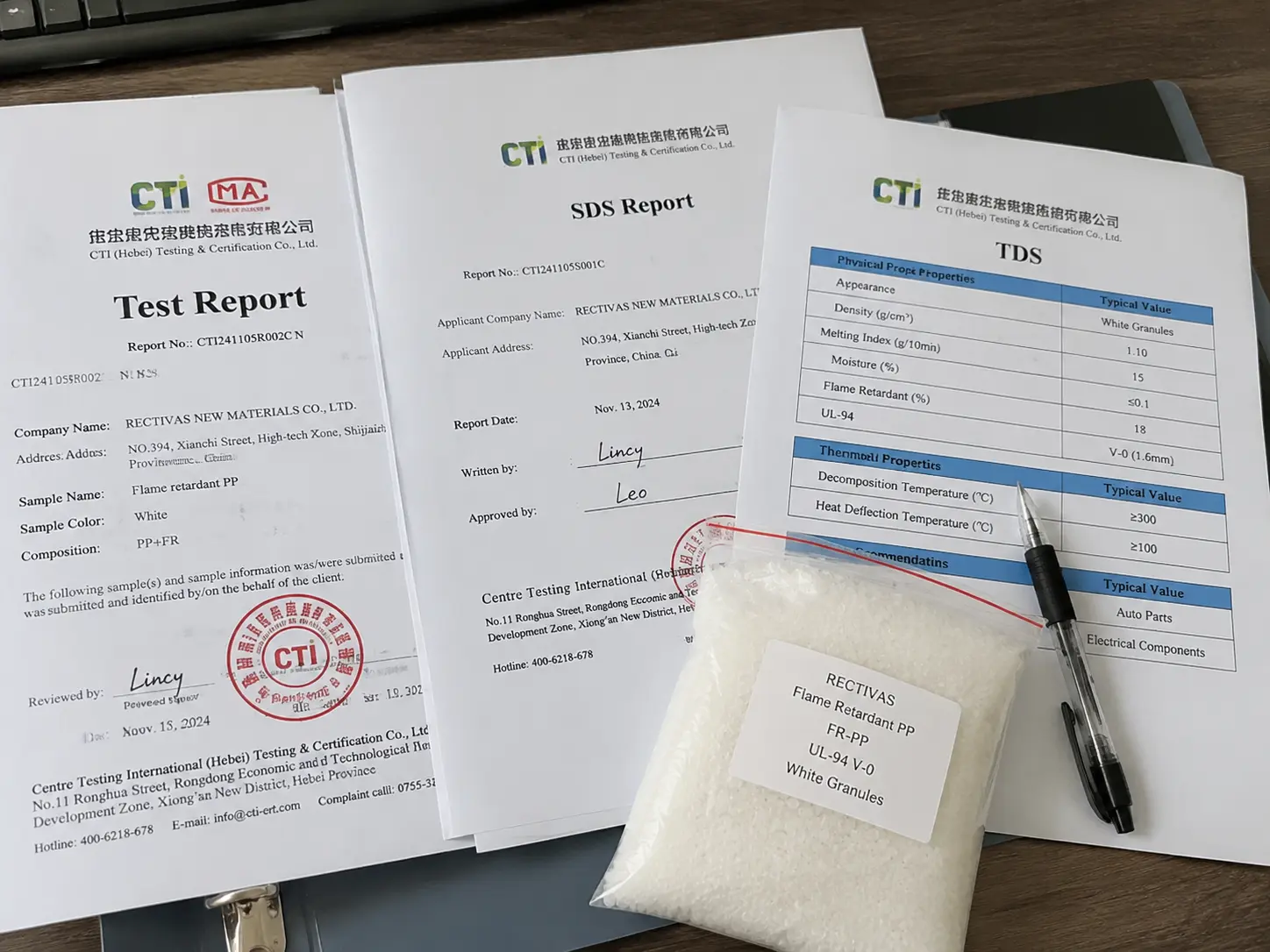 Fig. — Test Report, SDS & TDS, real batch documents
Use a real photo showing product documents, labeled samples, technical folders or packaging labels. The image should signal that technical files are tied to specific products and project stages.
For B2B flame retardant buyers, documents are not decoration. They help engineers choose the right product, help EHS teams review safety, and help procurement prepare sample or bulk approval.
Overview files for flame retardant additives, masterbatch, halogen-free systems, halogenated systems and application ranges.
Technical data sheets and selection guidance for resin matching, processing notes, target standards and product form choice.
Safety data and handling information for buyer EHS review, storage preparation and sample or bulk logistics planning.
A first supplier screening does not need the same document set as bulk order approval. This matrix helps buyers request the right resource instead of sending a vague document request.
| Project Stage | Recommended Resources | Buyer Goal |
|---|---|---|
| Supplier screening | Company profile, product brochure, product range summary and application overview. | Confirm supplier fit before technical testing. |
| Formulation review | TDS, resin compatibility notes, suggested dosage direction and system comparison guide. | Narrow product direction before requesting samples. |
| Sample testing | TDS, SDS, processing notes, trial checklist and target standard confirmation. | Prepare internal test for UL94, LOI or customer standard. |
| Compliance review | RoHS, REACH, halogen-free statement discussion, low-smoke context and destination-market notes. | Check regulatory fit before approval or resale. |
| Bulk order approval | COA, packaging information, batch-related quality documents and export document discussion. | Support procurement and logistics handoff. |
| Repeat order | Confirmed product reference, batch record discussion, COA and updated document requests. | Maintain consistency across repeat purchases. |
Each resource category should have a clear job: compare systems, select product form, prepare sample testing, support compliance review or move procurement forward.
Overview of product families, supported polymers, system types and application directions.
Guides comparing additives vs masterbatch, halogen-free vs halogenated and resin-specific choices.
Resin-specific resources for PP, PE, PVC, ABS, PC, LSZH and engineering plastic applications.
Simple checklists that tell buyers what to send before a sample or document request.
These guides are already available on the site and help buyers understand which document or sample path makes sense.
A selection guide for resin, processing method, target rating, product form and compliance direction.
Compare powder additives and pellet masterbatch by handling, dosing, dispersion, flexibility and production fit.
Compare compliance, smoke behavior, dosage efficiency, cost target and end-market requirements.
Review the document and compliance support page before requesting TDS, SDS, COA, RoHS or REACH files.
Instead of requesting “all documents”, send the details below. This avoids sending irrelevant files and helps the technical team identify the right product direction.
Tell us whether you need additive, masterbatch, halogen-free, halogenated, PP, PE, PVC, ABS, PC or LSZH support.
Specify whether you need brochure, TDS, SDS, COA, RoHS, REACH, packaging information or selection guide.
Share target standard, destination market, compliance pressure and sample or bulk order timeline.
Tell us whether you are screening suppliers, preparing a sample trial, approving bulk order or repeating a purchase.
These answers explain why some files are request-based and what information helps Rectivas send the right document set.
Some documents may require product confirmation before release. Buyers can request TDS, SDS, COA and brochure files through the RFQ page with product, resin and application details.
Before sample testing, buyers usually request a product brochure, TDS, SDS, suggested dosage direction, processing notes and relevant compliance information.
COA support may be available for confirmed products and order-stage review. Buyers should mention COA needs during RFQ or bulk order confirmation.
Application details help ensure the correct document set is sent for the selected resin, product form, flame retardant system, compliance requirement and project stage.
Send the product type, base resin, application, document type and project stage. Rectivas can prepare the relevant file set or recommend the correct product page before releasing product-specific documents.
Include these details when asking for files.